Only do this if Robotical has asked you to, or if you are familiar with this repair.
If Marty receives a large knock, the servo horn can slip around the servo spline. This can prevent the joint from moving through its full range of movement. The photos below show the left knee as an example.
Remove the link from the affected servo
Using a screwdriver, unscrew and remove the blue link. Keep the screw and nut safe for reassembly.
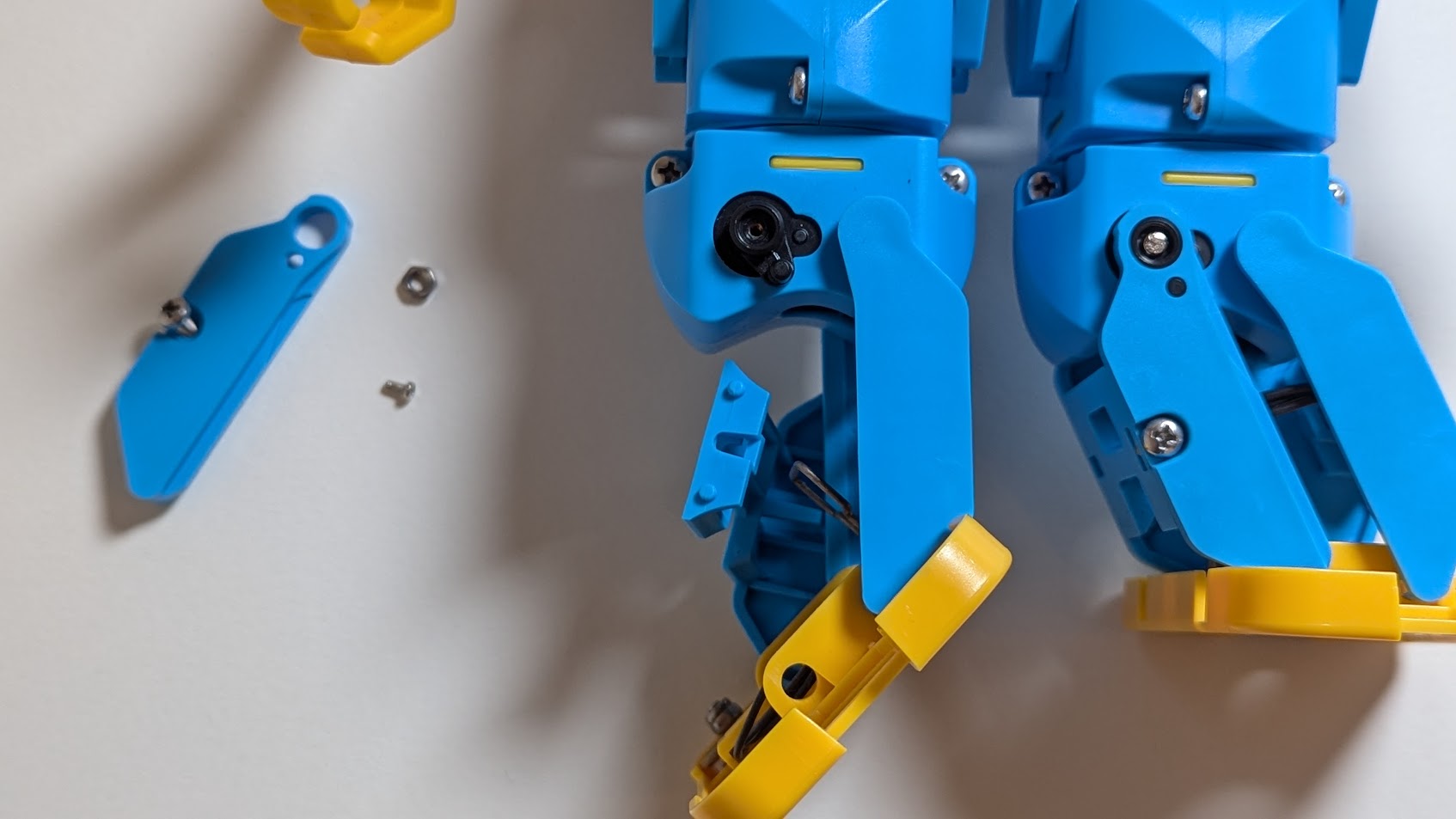
Remove the servo horn
Remove the small screw from the black servo horn, then pull the horn off the servo. It may be stiff; if necessary, carefully use the end of the screwdriver to help lift it off.
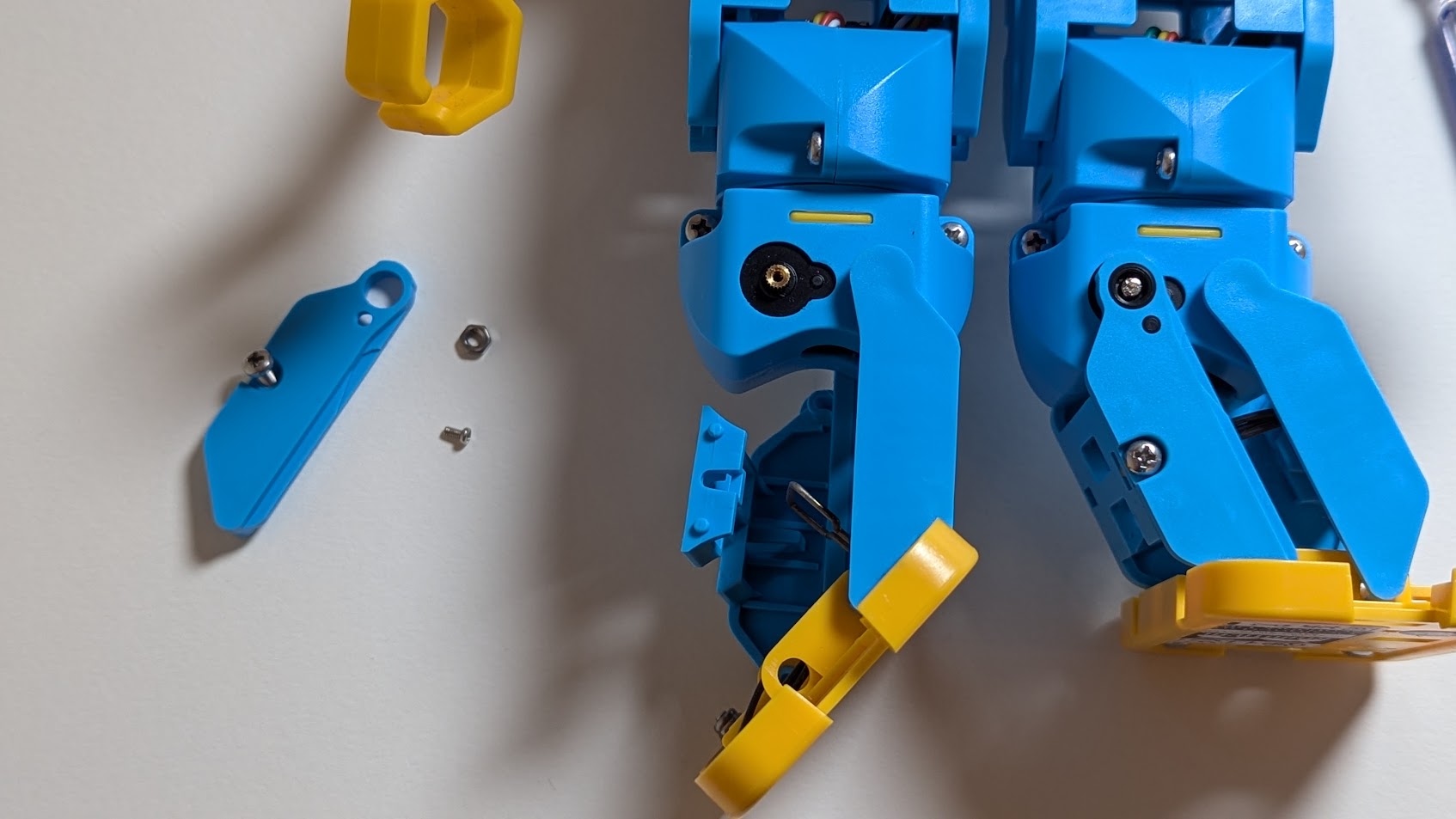
Zero the servo
Open the Robotical Servo Zero-ing Utility, connect Marty to your computer with a USB cable, and click Connect. Select Marty's USB serial device in the browser's device chooser.

Once connected, click the Zero button for the affected joint. For the left knee shown in these photos, choose Zero LeftKnee.
The servo will rotate to its true zero position. Once it has stopped moving, reassemble the joint.
Reassemble the robot
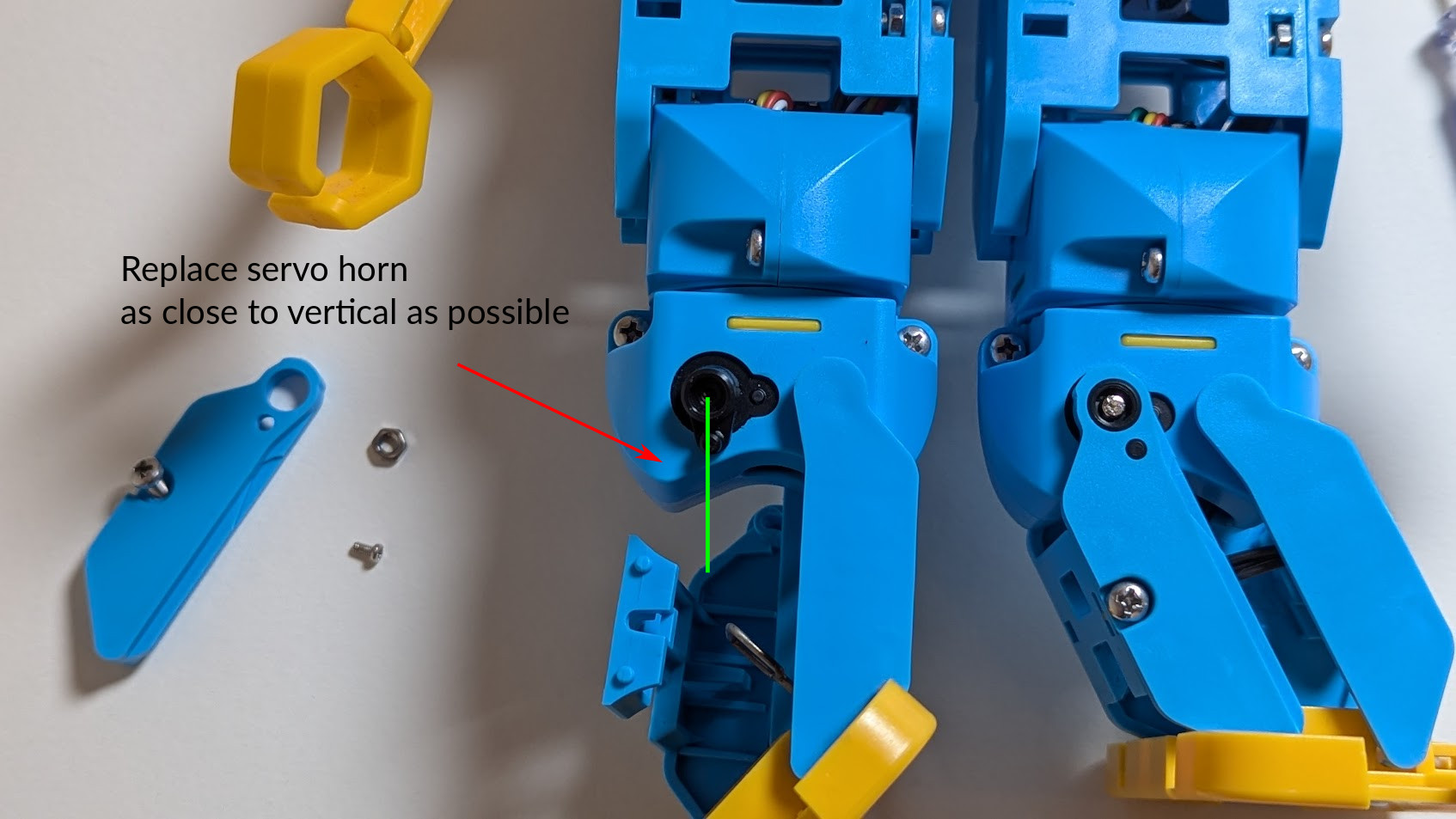
Refit the servo horn so that it is as close as possible to the position it would be in when Marty is standing straight. It may need to sit a few degrees off this position to fit onto the spline; the calibration step below corrects this small offset.
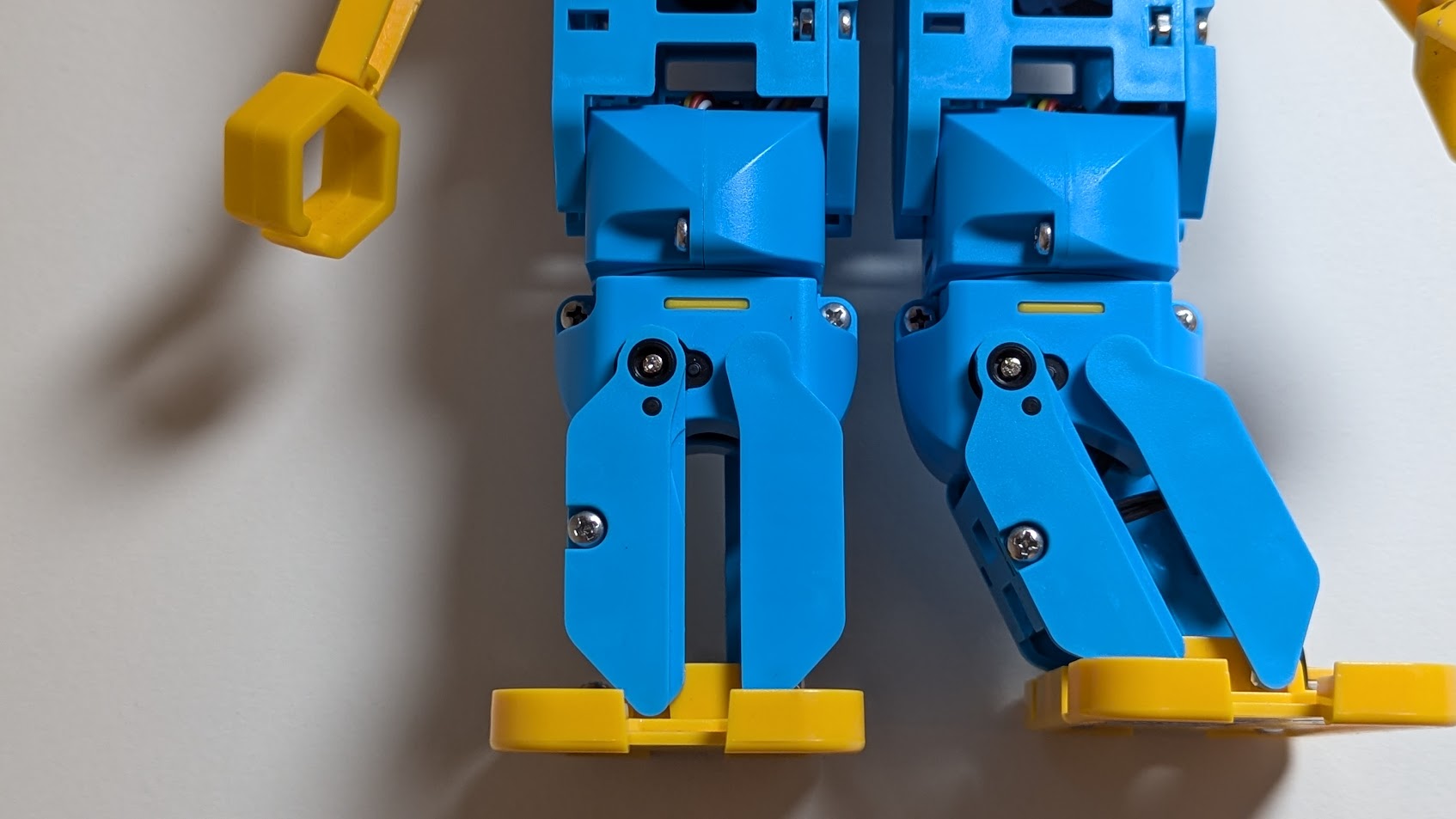
Replace the servo horn screw and reattach the blue link using its screw and nut.
Calibrate the legs
After reassembling the leg, calibrate Marty's legs in the current app:
- Open robotical.app and connect to your Marty. Keep Marty powered by USB while calibrating, as recommended by the app.
- Open Robot settings using the robot-and-gear icon at the bottom left. Select the Marty you are repairing if prompted.
- Choose Calibrate, then Legs (labelled “Balance Marty's stance”).
- On Straighten the legs, manually position Marty with both legs straight and both feet facing forwards, as shown below. Then click Save leg positions to store the calibration.

On the Check the movement screen, place Marty on a flat, firm surface and click Test a step. If the movement needs adjustment, choose Adjust again, reposition the legs and save them again. If the step looks correct, choose Looks good to return to the calibration menu.
Any issues? Contact Robotical
If you have any issues, or the servo horn is damaged and needs replacing, contact support@robotical.io.