Replacing the Legs
Unscrew the two screws underneath Marty's head, just above the legs.

Slide the old leg off towards you, grip the head to make this easier. Then slide the new leg into position. Screw it back in place.
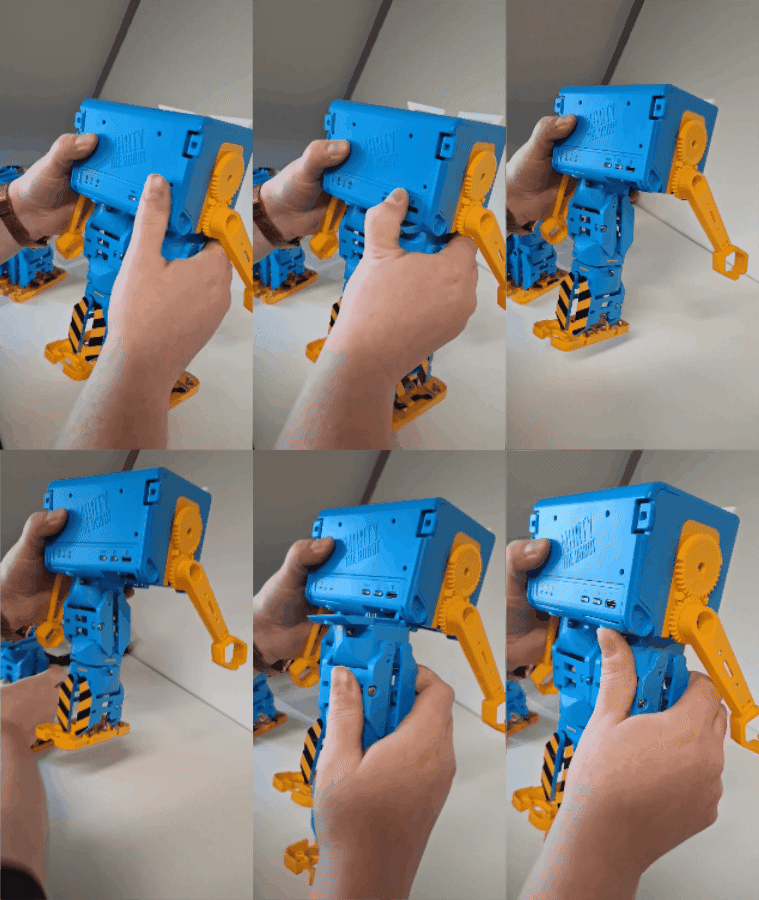
Repeat for both legs.
Renaming Marty's new legs
After replacing Marty's legs, you'll need to update the sensor names so Marty can recognise the new sensors correctly. This is important for features such as Marty Unplugged.
First, connect your Marty in the Robotical App.
Then, click on the *robot settings button in the bottom left, then select add-ons** as shown

You should see the sensors attached to your new legs in the add-ons list. The sensors from your old legs may also appear, but they'll be greyed out and labelled Not Connected.

Click Restore add-on names to update the sensor configuration. This allows Marty to recognise the replacement sensors correctly so they can be used with Marty Unplugged and Blocks.

Once the sensor names have been restored, check that Marty can detect the sensors correctly.
You can also test Marty's walking to make sure the replacement legs are functioning properly.